


GoTab: The Offline Mode That Barely Feels Offline
A local server keeps every device — POS, kitchen, kiosks, payments — talking to each other and taking orders even when the internet drops, then syncs back automatically the moment it's restored.



What is GoTab's OPServer?
GoTab's OPServer is a small local server, installed on-site, that every GoTab device on your network connects to — point of sale, kitchen displays, kiosks, handhelds, and printers. It's always running the show. When you're online, it stays perfectly in sync with the cloud. When the internet drops, it doesn't: your devices keep talking to each other and to OPServer, so the floor and the kitchen never have to stop.
Not Offline — Just Local for a While
While the internet is down, OPServer assumes everything it last knew to be true still is — menu availability, 86'd items, pricing rules, membership and cart rules — and keeps operating on that basis. The moment connectivity returns, it resyncs everything with the cloud automatically: orders, payments, and inventory counts all catch up without anyone having to do a thing.
How GoTab's OPServer Works
Every device stays in sync, not just one terminal
POS terminals, kitchen displays, kiosks, handhelds, and printers all keep communicating with each other through OPServer — an order taken on a handheld still shows up on the kitchen display, outage or not.
Payments still process
Cards are captured and held on the payment terminal or OPServer until the connection returns, then sent through automatically — no manual re-entry.
Inventory, pricing, and cart rules keep running
OPServer operates on the last-known-true state — if an item was 86'd right before the outage, it stays 86'd — then resyncs the real numbers to the cloud once reconnected.
QR and mobile ordering, and text messages, do need the internet
Those two features pause during an outage since they rely on a guest's own device reaching the cloud — everything else GoTab does at the counter, on a handheld, or in the kitchen keeps going.
Short outages often go completely unnoticed by guests. Orders keep firing to the kitchen, payments keep getting captured, and by the time the internet's back, everything has already resynced.
Want to see how this fits into choosing a POS system overall? See 7 Best Brewery and Restaurant POS Systems for 2026, Ranked →
Modern, Flexible Hardware for Every Service Environment
GoTab's hardware is built to be flexible. You're not locked into one brand or one device.
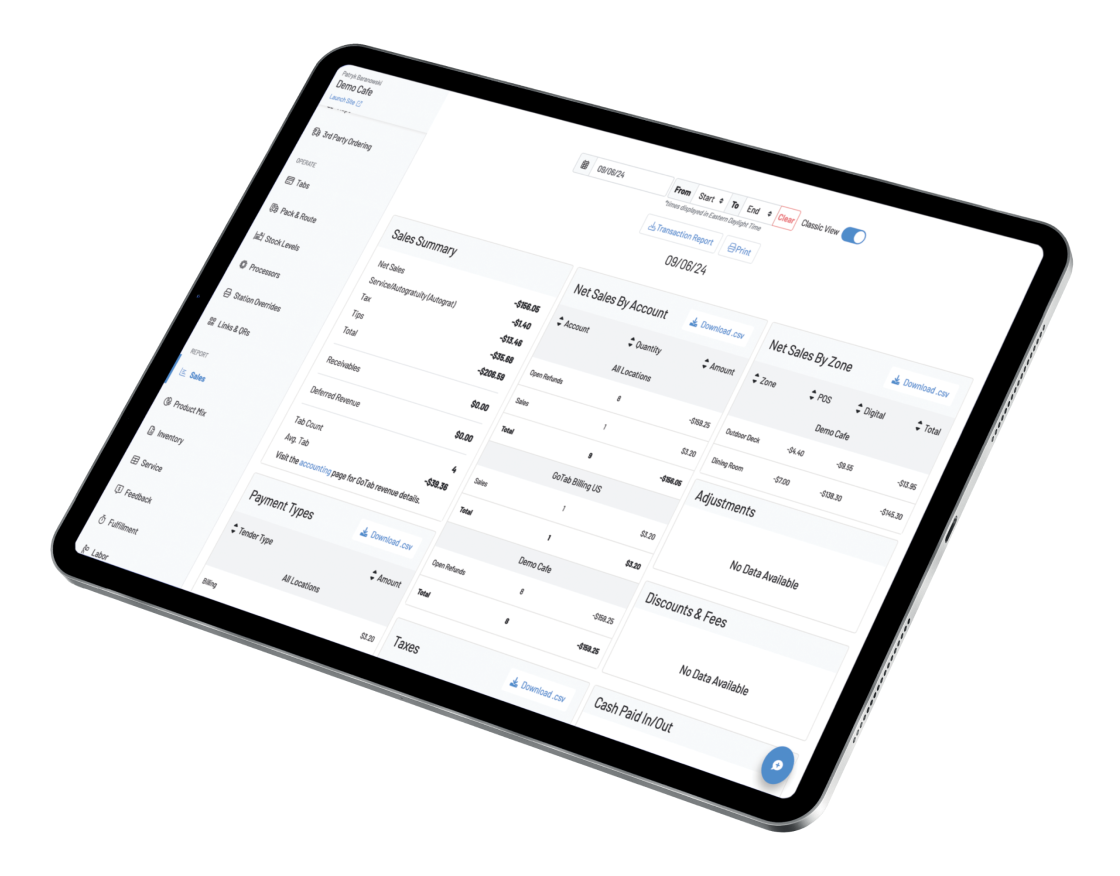
Manager Dashboard
Live sales, labor, and product-mix data in any browser, plus a Manager App for iOS and Android.


Self-Ordering Kiosks
Guests build their order, pay, and send it straight to the kitchen.
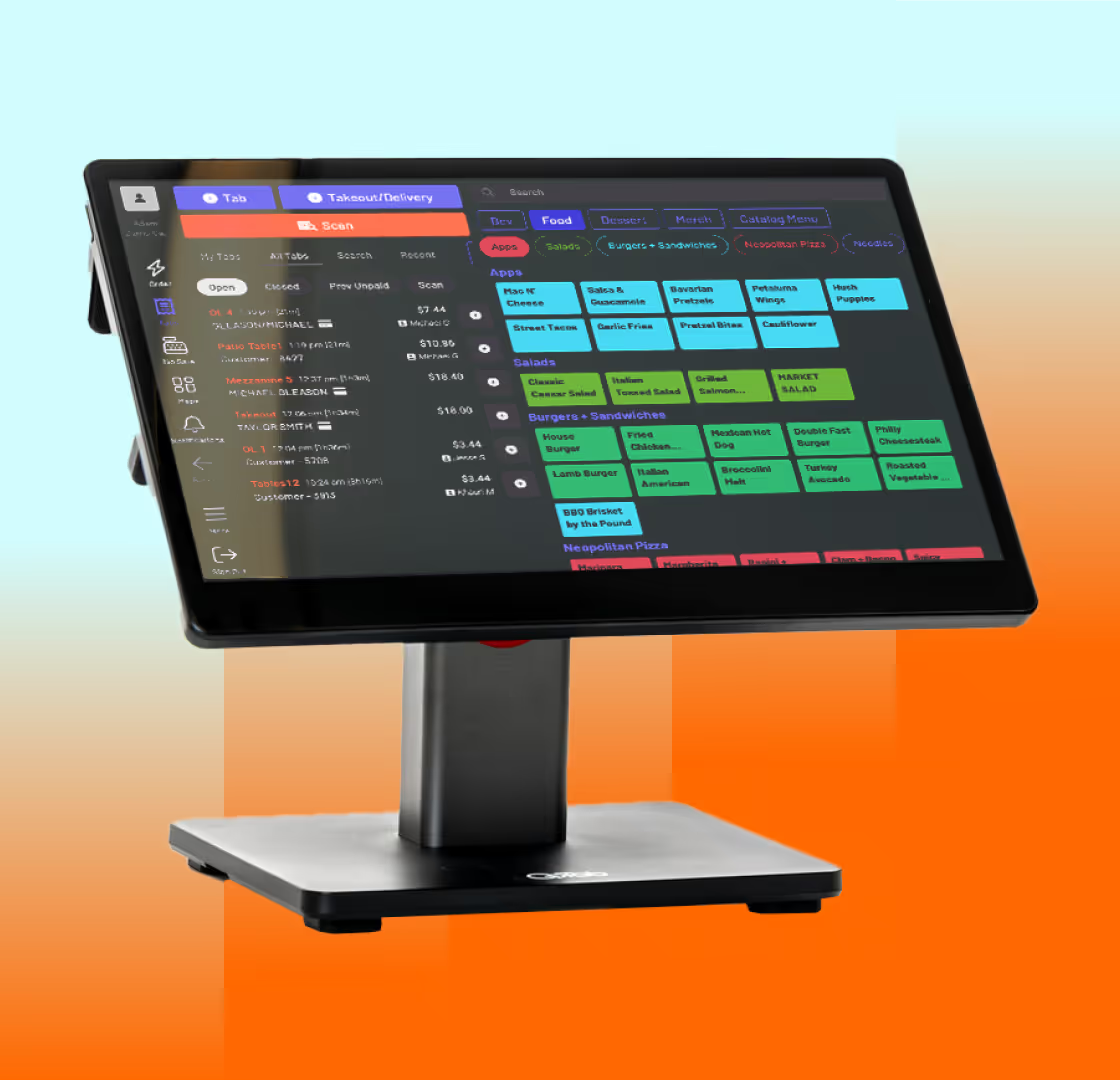
Point of Sale POS
Connect ordering, payments, kitchen operations, and guest tabs in one flexible platform.
The GoTab Difference
Our local network isn't a fallback bolted onto a cloud product — it's built in, and it's what your devices are quietly running on even while everything is online.


Kitchen Display System (KDS)
See every order the moment it's placed whether from the counter, handheld, kiosk, QR, or online.
Simple and Transparent Pricing
Our pricing is simple: we make money when you do. With our transaction-based processing fees, GoTab is your all-in-one POS and much more.



Open APIs To Connect Your Entire Tech Stack
GoTab is an open platform. Its API connects to the tools you already use — loyalty programs, accounting software, and reservation systems — so you can build the exact setup your business needs, instead of settling for whatever one vendor happens to offer.
Bring Your Systems Together
Connect reservations, events, accounting, loyalty, inventory, self-pour, gaming, property management, and more.
Work With Leading Hospitality Platforms
Including Tripleseat, Intercard, Amusement Connect, PourMyBev, CourtReserve, Mews, and other specialized technology providers.
Keep Data Moving Across Your Operation
Reduce disconnected systems and manual work by sharing critical information between GoTab and the tools your teams rely on.
Build for What Comes Next
Open APIs give operators and technology partners more flexibility to support new experiences and evolving business needs.

Every device stays in sync, not just one lone terminal
Your whole local network keeps functioning as one system during an outage, not a single isolated point of sale.
Payments never just stop
Cards are held and settled automatically the moment connectivity returns — no manual follow-up.
Built for remote, rural, and event deployments
Festivals, islands, and venues with unreliable connectivity lean on OPServer the hardest, and it's built for exactly that.
It's not a bolt-on
OPServer is the same local network your devices quietly run on even while you're fully online — the outage doesn't change how the system works, just where the sync is coming from.
See How GoTab's OPServer Compares to Traditional POS Platforms


Toast's offline mode reportedly limits you to the one terminal you're on, with devices unable to communicate with each other; GoTab's local server keeps every POS, KDS, and handheld in sync the whole time.

Square warns that transactions taken while offline may or may not go through; GoTab holds and settles every offline payment automatically once reconnected.

Clover's offline mode caps individual transactions (commonly around $50) and stops supporting tap-to-pay; GoTab's local server keeps taking full-service orders and payments with no such cap.
Explore GoTab by Business Type
Every venue runs differently. See how GoTab fits your type of business.
See all business types
Trusted by Hospitality Leaders
“Now we're selling more food. All the vendors are noticing more food sales based on our numbers and the guest experience.”
“One of the great things about the QR codes and how well that system functions is that it has enabled us to save on labor because we don't need to have waitstaff in the traditional sense.”
“People used to spend 40 minutes of their visit waiting in line. Now they're just sitting with their family and their beer arrives. Before, they'd walk out. Now they stay.”
“Before, we were doing $2,000 to $3,000 a day in reservations. When we switched to this simplified all-inclusive model, we started booking more than $30,000 a day.”
“We tried another QR code ordering system in another store and it fell flat. But with GoTab, we're seeing triple or quadruple the sales compared to that other store, and that's with less attendance. Guests love it.”
“Attendance for some events can soar from 5,000–7,000 on an average day, to an astonishing 110,000 guests for our annual Breeders Cup event. GoTab helps the team achieve exceptional agility”







Frequently Asked Questions
Check out these common questions about our
OPServer Offline Capabilities

GoTab’s KDS is built for resilience. It includes features like print-on-fulfill, search across tickets, multi-item panels, and read-only views, so your kitchen can keep moving even if connectivity is unstable or orders spike during peak hours.
GoTab automatically syncs all transaction data, order history, and inventory updates back to the cloud. No data loss, no extra steps—just a smooth transition back to online operations.
Your full shared tab model remains active on-premises. Whether guests open a tab via handheld or fixed POS devices, kiosks, or payment terminals, everything syncs locally, so there’s no disruption in service.
Absolutely! GoTab’s standalone payment terminals continue processing credit and debit card payments offline. And of course, cash transactions are always an option.
No, QR ordering requires an internet connection. However, staff can continue placing orders directly from the GoTab POS, Handheld devices, and Kiosks so service never skips a beat.
Yes, as long as you’re using GoTab Labor Management. However, third-party labor systems require an internet connection.
Not at all! The moment GoTab detects an internet disruption, it automatically switches to on-premises mode, allowing your business to continue operating with no interruptions.
GoTab’s OPServer offline mode keeps your iPad POS system taking orders and processing certain payments during an internet outage, then syncs everything automatically once connectivity is restored.
Request a Demo
Ready to experience GoTab for yourself? Sign up for a free demo and learn about our special offers that make switching your POS easier.
