






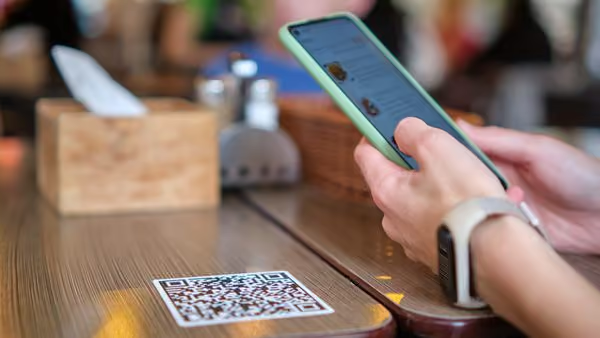
Ask most multi-channel restaurant, bar, brewery, or food hall operators how many places their menu actually lives, and the honest answer is usually somewhere between four and eight: the POS, the website, DoorDash, Uber Eats, Grubhub, maybe a kiosk or a QR code menu on top of all of it. Ask how those stay in sync, and the answer is often "manually, by whoever has time this week."
That gap between "one menu" and "one menu, copied by hand into six places" is where a lot of margin — and a lot of staff hours — quietly disappears.
Every Delivery Platform Wants Its Own Version of Your Menu
The pattern shows up the same way across concepts: a system that doesn't apply pricing rules automatically forces someone to recreate that logic by hand, every time, on every platform.
- Marking up items to absorb commission is a manual, per-platform job. Delivery marketplaces typically take 15-30% per order. Absorbing that without losing money means adding a markup — but if the system won't apply that markup automatically, someone has to rebuild the entire menu by hand, item by item, to bake the commission into the delivery price without changing the in-house price.
- 86'ing an item means 86'ing it everywhere, separately. When a system doesn't sync inventory in real time across every ordering channel, an item that sells out on the floor keeps selling online until someone remembers to go update it — usually after a few guests have already been told "sorry, we're out" on a paid order.
- Price changes multiply the work instead of dividing it. A single ingredient cost increase should mean one edit. On a fragmented setup, it means editing the POS, then the website ordering page, then each delivery app's merchant portal separately — and re-checking that the markup math still holds on each one.
- Every new channel is another menu to maintain, not a feature to turn on. Adding a kiosk, a QR code menu, or a new delivery partner should be additive. When each one requires its own manual menu build, growth itself becomes the thing creating the busywork.
What Actually Fixes This
The fix isn't "hire someone to keep the spreadsheets in sync" — it's removing the need for separate menus in the first place.
- One menu, pushed everywhere automatically. With real-time menu changes, updating an item, price, or availability once — from the floor, not a back office — updates it across POS, mobile ordering, and kiosk simultaneously. There's no second (or fifth) place that needs the same edit.
- The markup itself gets set once, not re-typed per platform. With GoTab's Manager Dashboard, pricing and menu changes are managed from one place in real time — update a price or add a delivery markup once, and it applies everywhere that menu shows up, instead of recalculating and re-entering it by hand in each platform's merchant portal.
- 86'ing an item in real time, from wherever staff already are. When an item runs out, marking it unavailable from the kitchen display system or the floor updates every ordering channel at the same moment — no separate step to remember, and no orders coming in for something that's already gone.
- Pricing transparency that extends past just processing fees. The same cost-transparency principles that matter when comparing POS processing rates apply here too: knowing exactly what a delivery commission costs, and having a system that handles the markup math for you, beats discovering the real number after a month of manually-priced orders.
The Real Cost Isn't Just the Labor
The hours spent rebuilding menus by hand are real, but they're not the only cost. Inconsistent pricing between the in-house menu and the online version confuses guests and erodes trust. A stale online menu that still shows a sold-out item creates a bad order and a support headache. And a markup that's slightly off on one platform, because someone typed a number in a hurry, either eats into margin or overcharges a guest — neither of which an operator finds out about until it's already happened several hundred times.
The operators who stop feeling this pain aren't the ones who get faster at manual menu updates. They're the ones running a system where there's only ever one menu to update in the first place.
See how the Manager Dashboard keeps pricing and menus in sync, or see how the Kitchen Display System handles real-time 86'ing.