




Hybrid Ordering, Compared: Toast Hybrid Tabs and GoTab
Hybrid ordering lets guests move between staff-assisted and self-service ordering without starting over — order a first round from the bartender, add food by QR code, reorder from a phone, and close one tab at the end.
That idea is having a moment. Toast has started a beta of Hybrid Tabs, and operators evaluating it are asking a reasonable question: what does it actually do, and how is it different from what GoTab has been doing?
This page answers that by comparing the mechanics, not the marketing. Toast's side is quoted from their own published documentation, verified as of 28 September 2026.
What Toast Hybrid Tabs Does
According to Toast's beta documentation, the flow works like this:
- A staff member starts the order on the Toast POS or a Toast Go handheld.
- The POS prints a QR code on the receipt printer, and the staff member hands it to the guest.
- The guest scans it, enters their name and phone number, and receives a link by text.
- The guest can then place additional orders and pay from their phone.
- Multiple guests can scan the same code and are added to a group that can split the check.
Toast documents three constraints, in their words:
- "Orders must be started on a table for Hybrid Tabs to work correctly."
- "If customers want to preauthorize the tab, that must be done on the POS. Once the tab is started on the POS, guests cannot preauthorize directly from their phones."
- "You must own the Toast Mobile Order & Pay product module to use Hybrid Tabs."
The feature is in beta, operators join by request, and the documentation notes it "does not support the pay-as-you-go configuration."
None of that is a criticism. It is a sensible first version for a table-service restaurant. It just defines the shape of what it fits.
Question by Question
How does a tab start?
Toast: staff-initiated on the POS or Toast Go. A QR code prints on the receipt printer and is handed to the guest.
GoTab: either. A guest can start their own tab by scanning a QR code posted in the venue, with no staff action. Staff can also start one, and tab access is sent to the guest by SMS.
Can staff and guests both add to the same tab?
Toast: yes — the guest adds from their phone after scanning, and staff continue on the POS.
GoTab: yes, both.
Is a table required?
Toast: yes. "Orders must be started on a table for Hybrid Tabs to work correctly."
GoTab: no. A guest can start from any spot in the venue, and the tab is not bound to a specific table.
Can guests move around the venue?
Toast: not addressed in the documentation; the table requirement constrains it.
GoTab: yes. The same tab travels with the guest, who can reorder from a different location. Fulfilment follows the zone the order was placed in — a runner brings it out, or a text says it is ready at the pickup window.
Can guests reorder themselves?
Toast: yes, after scanning the printed code.
GoTab: yes. The session is retained, so no rescanning is needed. A guest who has moved can also scan any QR code in the venue to keep adding to the same tab.
Is guest-side preauthorization supported?
Toast: no. Preauthorization must be done on the POS; "guests cannot preauthorize directly from their phones."
GoTab: yes. A guest can start a tab and attach a preauthorized card from their own phone, with or without placing an order. Preauthorizing at a POS and receiving the tab by SMS also works.
Can staff keep serving the same tab?
Toast: yes, on the POS or a handheld.
GoTab: yes. Any POS or handheld can add to any tab, whether a guest or a POS started it.
How does payment close?
Toast: the guest pays from their phone, and group members can split the check.
GoTab: the guest's choice — from their phone with group split, from the POS, or automatically against the preauthorized card. Splitting works in the guest payment flow or at the POS.
Does the tab work across multiple vendors?
Toast: not applicable — single restaurant.
GoTab: yes, in a food hall. A tab started at the food hall can be accessed and added to by individual vendors, closes out at the food hall, and each vendor's sales and revenue are remitted automatically.
What hardware is needed?
Toast: a POS, a receipt printer to print the QR code, and a Toast Go for handheld use.
GoTab: none for QR ordering. A POS and a card reader are needed only for POS-initiated tabs. There is no receipt printer in the path.
What does it cost to enable?
Toast: requires the Mobile Order & Pay module. Beta by request.
GoTab: included, not a separately licensed module.
Which venue types fit?
Toast: table-service restaurants.
GoTab: any concept combining guest and staff ordering. Most impactful where guests move — breweries and taprooms, beer gardens, food halls, stadiums, family entertainment centers, pickleball clubs, bowling centers, and dine-in cinemas.
The Three Differences That Matter Most
1. Who Can Start the Tab
In Toast's flow, every hybrid tab begins with a staff member. They start the order on the POS or a Toast Go, the receipt printer prints a QR code, and someone carries it to the guest. No staff interaction, no tab. No printer, no tab.
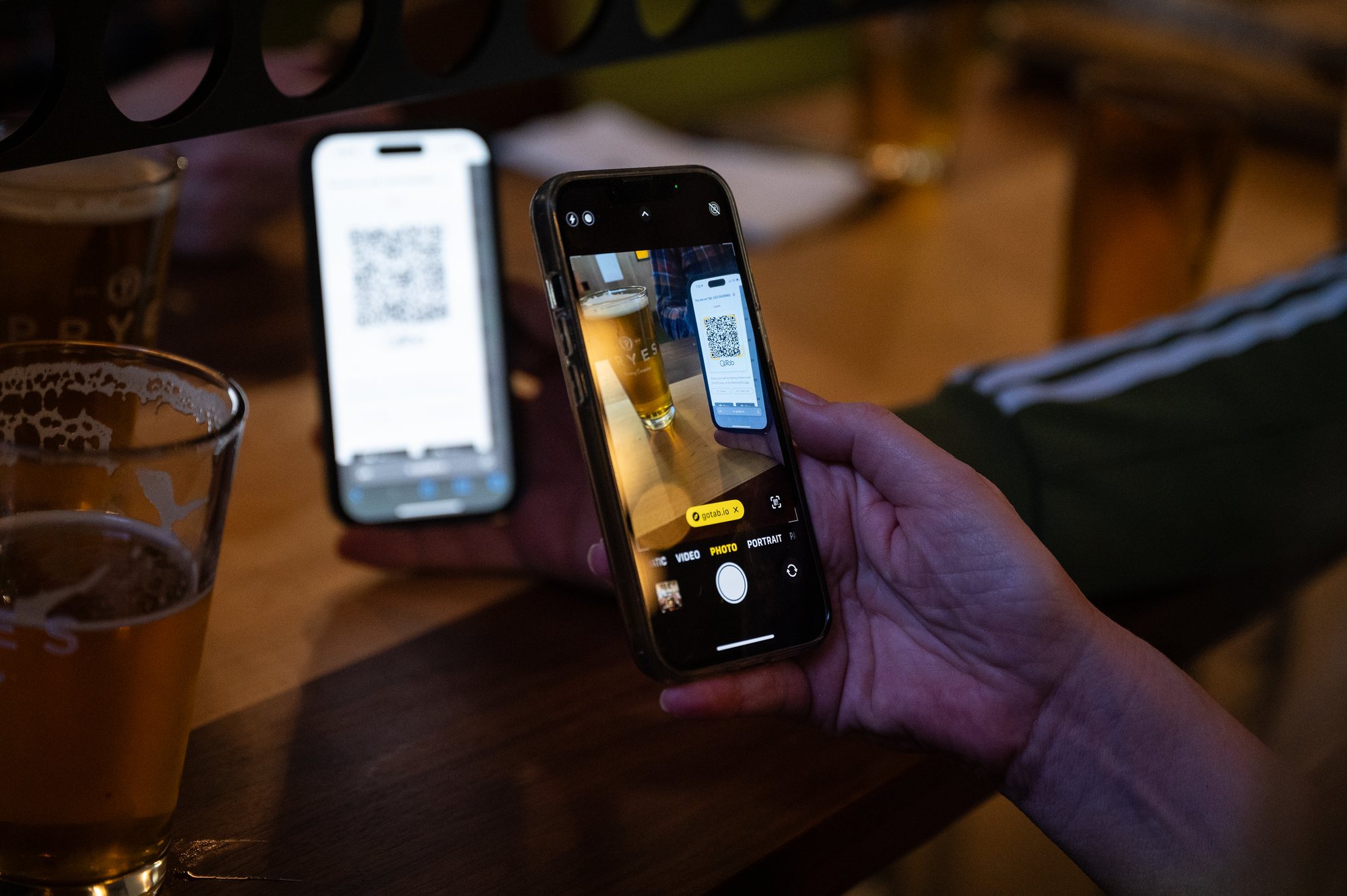
In GoTab, a guest can start their own tab by scanning a QR code already posted in the venue — a table tent, a coaster, signage — with no staff action at all. Staff can also start one when that is the better service moment, and the guest receives access by SMS rather than on a printed slip.
That is not a feature difference. It is a difference in what hybrid ordering is for. If every tab requires a staff touch and a printed handoff, hybrid ordering is a convenience layered on top of full service. If a guest can open their own tab, it can also be a labor model — which is what matters to a taproom at 7pm on a Friday with two people behind the bar.
2. Whether the Guest Has to Stay Put
Toast's documentation is explicit: "Orders must be started on a table for Hybrid Tabs to work correctly."
For a table-service restaurant that is a non-issue. Guests sit at table 14, the tab belongs to table 14, everyone is happy.
It becomes an issue the moment the guest does not stay put — a taproom where guests drift to the patio, a beer garden with no table numbers, a food hall where a group splits across vendors, a stadium or entertainment venue where the guest moves every twenty minutes.
In GoTab the tab travels with the guest. They can reorder from wherever they are, and fulfilment follows the zone the order was placed in, so the service style matches what that part of the venue expects: a runner brings it to the patio, a text says it is ready at the window. Each order is handled according to who placed it and where — and it all lands on the same tab.
In a food hall the same principle extends across vendors. A tab opened at the food hall can be added to by any individual vendor, closes out at the food hall, and each vendor's sales and revenue are remitted automatically.
3. Preauthorization
Toast: "Once the tab is started on the POS, guests cannot preauthorize directly from their phones."
Preauthorization is what makes an open tab safe for the operator — the difference between trusting a guest to come back and holding a card. If preauthorization can only happen at the POS, the guest has to go to the POS, which partly undoes the point of a tab that travels.
In GoTab a guest can open a tab and attach a preauthorized card from their own phone, whether or not they order anything at that moment. That is a digital bar tab in the ordinary sense of the phrase: open it on arrival, order from anywhere, let staff add to it at the POS, and close it out from the phone, at the POS, or automatically against the card already on file. See how Easy Tab works.
Where Toast Hybrid Tabs Is a Good Fit
Worth saying plainly, because a comparison that claims the competitor is bad at everything is not useful to an operator.
Toast Hybrid Tabs looks like a good fit for a table-service restaurant already running Toast that wants seated guests to add a round without flagging down a server. The flow is simple, it reuses hardware already on the floor, and the group-scan-and-split behavior is genuinely nice.
If that is the venue, the built-in option is probably the path of least resistance.
The evaluation changes when guests do not stay at a table, when the operator wants guests to open their own tabs without a staff touch, when a card needs to be held before the guest walks away, or when there is no receipt printer in the ordering path at all.
Frequently Asked Questions
What is hybrid ordering?
Hybrid ordering lets guests move between staff-assisted and self-service ordering without starting over — order a first round from the bartender, add food by QR code, reorder from a phone, and close one tab at the end.
Does Toast Hybrid Tabs require a table?
Yes. Toast's beta documentation states that "orders must be started on a table for Hybrid Tabs to work correctly."
Can a guest start their own tab with Toast Hybrid Tabs?
No. A staff member starts the order on the POS or Toast Go, and the QR code prints on the receipt printer to be handed to the guest. In GoTab, a guest can start their own tab by scanning a QR code posted in the venue, with no staff action.
Can guests preauthorize a tab from their phone with Toast?
No. Toast's documentation states that preauthorization must be done on the POS. In GoTab a guest can open a tab and attach a preauthorized card from their own phone, with or without placing an order at that moment.
Can a tab move between vendors in a food hall?
In GoTab, yes. A tab started at the food hall can be accessed and added to by individual vendors, closes out at the food hall, and each vendor's sales and revenue are remitted automatically.
Does a guest have to rescan a QR code to reorder?
No. The session is retained. A guest who has moved elsewhere in the venue can also scan any QR code there and keep adding to the same tab.
Is Toast Hybrid Tabs generally available?
Not as of 28 September 2026. It is in beta, and operators join by request.
What is an alternative to Toast Hybrid Tabs?
GoTab supports hybrid ordering without the three constraints Toast documents. Guests can start their own tab from a posted QR code with no staff action and no receipt printer; the tab is not tied to a table and travels with the guest, who can reorder from anywhere and have it delivered by a runner or collected at a pickup window; and a guest can attach a preauthorized card from their own phone rather than going to the POS. Staff can start and continue tabs too, so the two ways of ordering share one tab rather than competing.
See Hybrid Ordering in GoTab
Every order — server, handheld, kiosk, or a guest's own phone — lands on the same tab. See how QR ordering and payment works, read more on the hybrid service model, or request a demo.