




We recently sat down with Grant Pierce, founder of Live Tap List, on Behind the Tab. On the surface, it was a conversation about digital menu boards. But underneath, it was about something much more important: How menus actually drive revenue.
Your Menu Is Not a List. It’s a Sales System.
Most operators still treat their menu like a static artifact:
- Something you print
- Something you upload
- Something you update when you “have time”
But the best operators treat their menu as a real-time revenue engine. And that shift matters. Because when your menu is connected to your POS, your kitchen, and your guest experience, it stops being passive—and starts driving outcomes.
The Real Problem is Disconnected Systems
In most venues, menus live in multiple places. The point of sale system, in print, on digital menu boards, behind or behind QR codes. Those menus are rarely in sync. This is a huge operational issue. That creates friction:
- Guests order items that are out of stock
- Staff spend time explaining changes
- Managers manually update multiple systems
When menus aren’t connected, operations slow down—and revenue leaks.
What Changes When Menus Are Integrated with POS
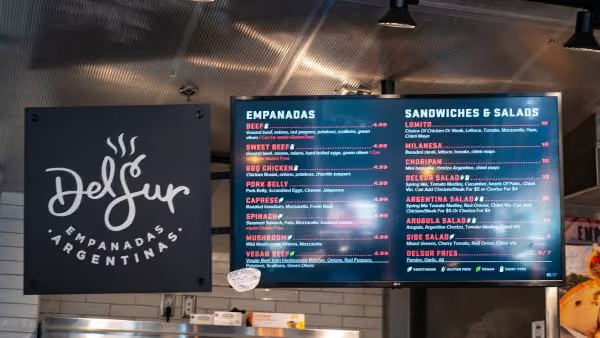
When your digital menu is directly connected to your POS system, everything changes.
1. Real-Time Accuracy (No More “86 That” Moments)
Menu updates happen instantly across all channels. If something sells out:
- It disappears everywhere
- Staff doesn’t need to intervene
- Guests don’t get frustrated
Integrated systems allow operators to update menus in real time, improving both efficiency and guest satisfaction.
2. Faster Ordering, Higher Throughput
When guests know what’s available:
- They order faster
- They ask fewer questions
- Lines move quicker
And in high-volume environments, that directly impacts revenue.
3. Better Upsells (Without Training Staff to Memorize Scripts)
Digital menus can help you highlight bestsellers, promote high-margin items and surface add-ons automatically. Operators using digital menus can spotlight specific items and improve the browsing experience, which also increases spend per guest. This is menu engineering—executed with zero manual intervention.
4. Less Operational Overhead
When menus sync automatically staff stops managing updates, managers stop fixing errors and kitchens receive more accurate orders. The result is a win-win-win: less chaos, more consistency and better service.
Why Menus Matters More Now Than Ever
Guest expectations have changed. Today’s guests expect accurate menus, fast ordering, minimal friction and control over how they order.
Modern platforms like GoTab enable guests to order and pay via server, kiosk, or mobile—all within one system, reducing friction and improving experience. That only works if the menu is part of the system—not separate from it.
The Hidden Revenue Driver is Clarity
Here’s the part most operators miss: Clarity drives conversion.
When guests understand what’s available, can find what they want quickly and trust the menu is accurate they will order more and more confidently and come back more often.
A Simple Test
If you want to know whether your menu is helping or hurting your business, ask:
- How many places does my menu live today?
- How often is my menu out of sync?
- How much of my staff’s time goes into managing menus?
- How often do guests ask questions the menu should answer?
If the answer to any of these is “too much”… focus on integrating your menu with your point-of-sale so it will all flow more seamlessly.
What the Best Operators Do Differently
High-performing operators don’t just improve their menu design. They:
- Connect menus directly to POS
- Update items in real time
- Use data to highlight what sells
- Remove friction from ordering
They treat the menu as part of the operating system—not an afterthought.
Final Takeaway
Better menus don’t just look better.
They:
- Reduce friction
- Improve throughput
- Increase average check size
- Simplify operations
And when integrated with your POS, they become one of the most powerful revenue levers in your business.
If You’re Rethinking Your Menu…
You’re not just redesigning a layout.
You’re redesigning how your business sells.